
Your first session: what to expect
After your NANO is online, the network discovers you, routes players to you, and starts paying you. Here's the timeline and what to watch for in the YOM app.
in this article
You’ve finished the setup. Your NANO is connected, your wallet claimed it, and My hosts shows your node as online. What now?
This article walks through the first few hours, what the YOM app shows you, and the most common “why nothing is happening yet” questions.
the first 5 minutes: network discovery
Right after you claim your NANO, the network runs a series of validation checks:
- Connection sanity: confirms your node can reach the YOM backend and that it actually responds within the latency window.
- Encoder smoke test: spins up a small test session against your GPU to confirm NVENC is working as expected.
- Geo discovery: maps your IP to a region so player routing can prefer nearby hosts.
While this runs, your host status in the app flips through connecting → validating → online. If validation fails, it falls back to offline with a reason. See Troubleshooting: node offline if that happens.
Once you’re online, you’re in the routing pool.
the next hour: waiting for the first player
This is the part that surprises new operators: being online doesn’t mean a session arrives immediately. The network only routes a player to your node when:
- A player in your region starts a game session
- That session’s game is one your hardware is qualified to host
- Your node has lower latency to the player than the alternatives
In well-covered regions (NL, UK, ES, US East, AU) you’ll typically see your first session within 30 minutes. In thinner regions it can take hours. If you’re the only node in your geo, you’ll often get the first session of every player who visits from there.
A few realities to set expectations:
- Off-peak hours are quiet. Most sessions happen evenings and weekends in your local timezone. Don’t worry if midday on a Tuesday is dead.
- Game availability matters. New games on the network mean burst demand; older catalog titles see steadier but lower-volume traffic.
- Both your machine and your uptime matter. A higher-spec node serves more sessions in parallel, so it earns more per hour online. Uptime is what qualifies you for the two monthly slots at all, so it is not a lever you can trade away. See the NANO operator guide.
the YOM app while idle
Open app.yom.net/my-hosts. While waiting for your first session, you should see:
- A green status dot next to your host name
- An uptime counter ticking from the moment you registered
- “Sessions: 0” (will increment with each completed session)
- “Last session: none yet”
If anything looks different (no green dot, uptime not advancing), refresh once. If it persists, check Troubleshooting: node offline.
when the first session arrives
You won’t get a notification. The session just happens. What you can observe:
- Your GPU utilization will jump from idle to active load (90%+ on most games)
- Your network upload will spike to whatever the encoder is producing (typically 15-30 Mbps per session)
- In My hosts, the session counter increments and “Last session” updates to a timestamp
The player on the other end is streaming the game from your machine in real time. Their input goes to your node, the game responds, and your GPU encodes the next frame and ships it back. The whole round trip is usually under 50 ms when your network is healthy.
the next 24 hours: earnings start accumulating
After a day of routing players, your My hosts page looks something like this:
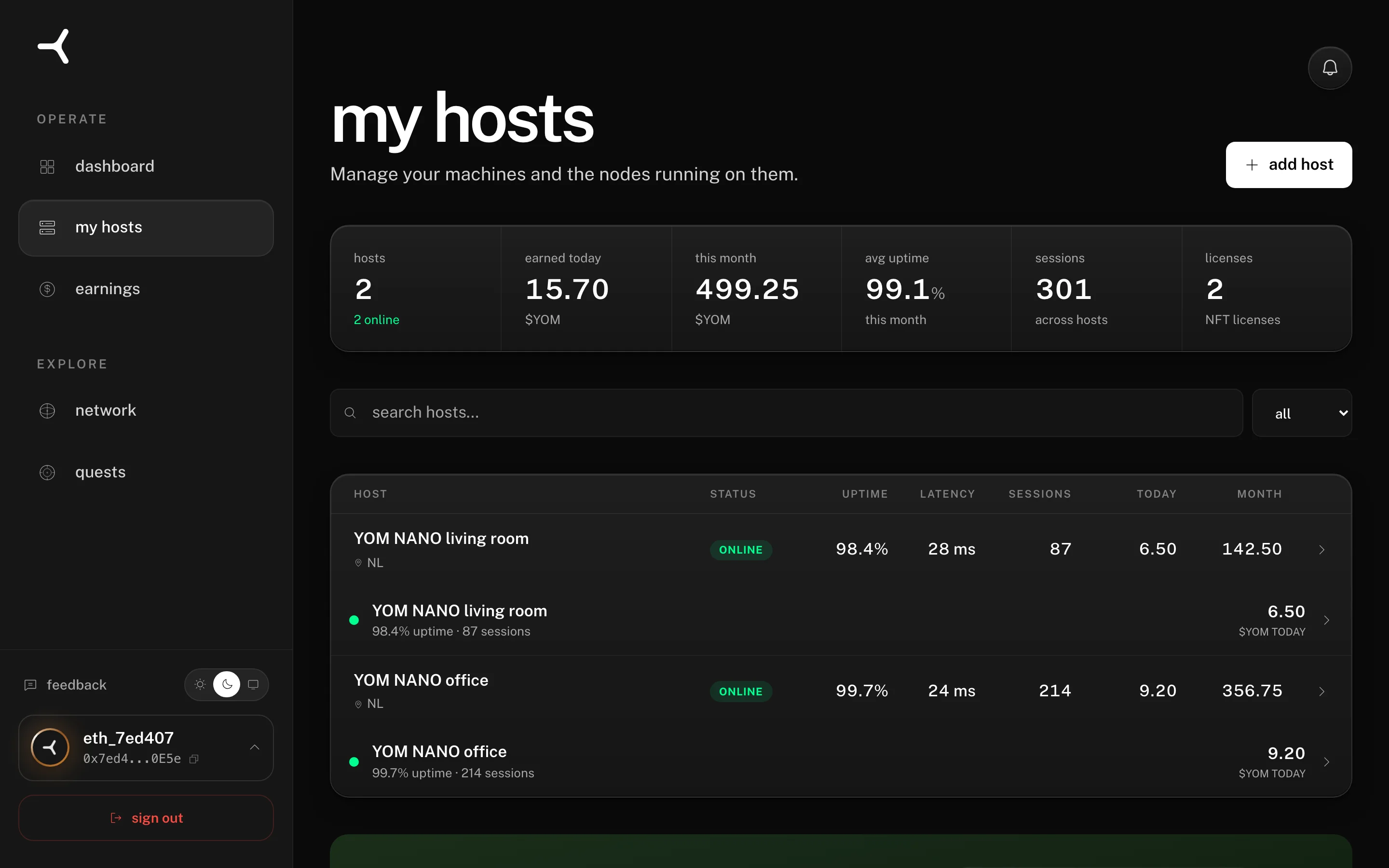
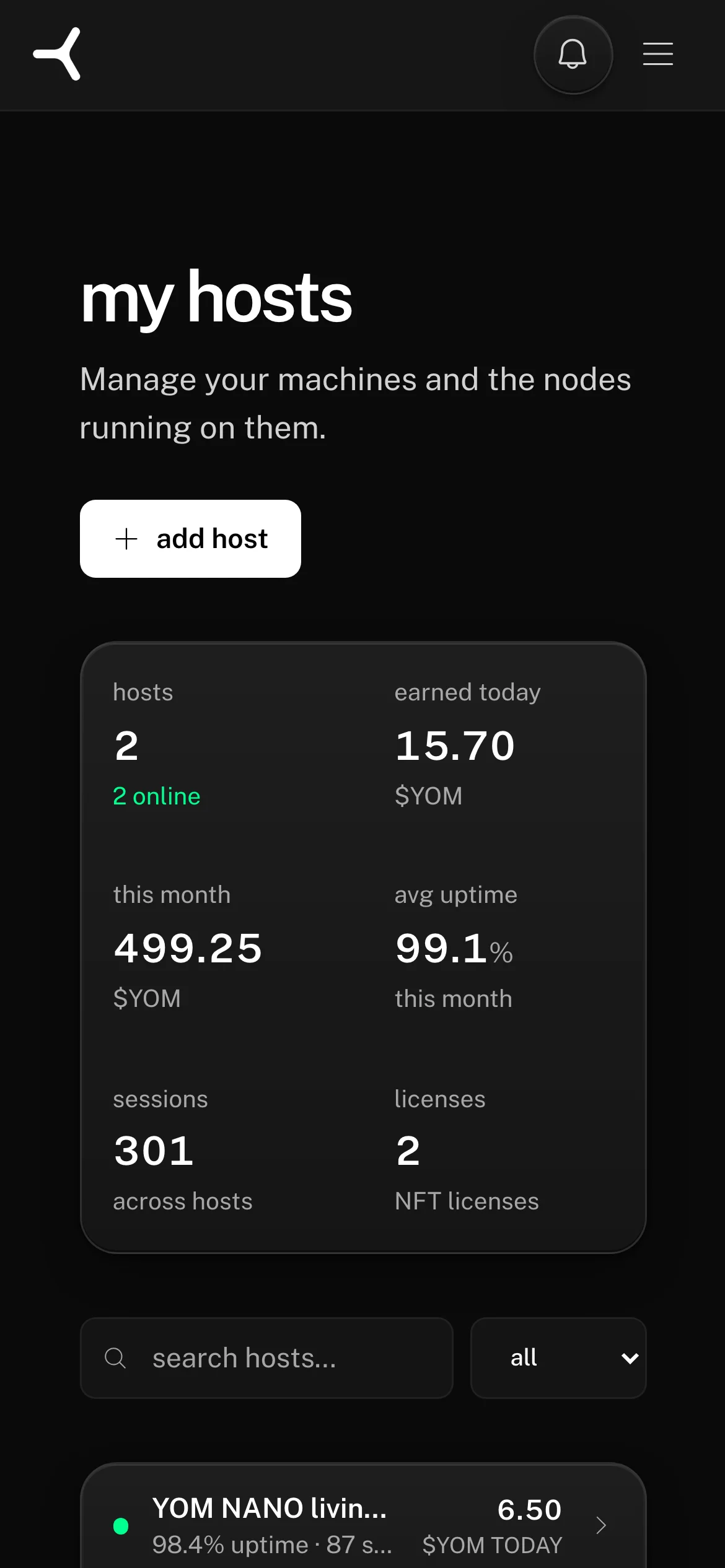
The first earnings moment is the top-row stat card:
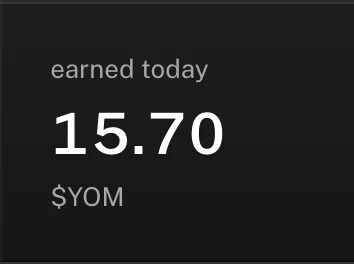
Per-host metrics start to make sense once data is flowing:
- uptime: how much of the time your node was supposed to be up the network could actually reach it. Above 95% is healthy. This is a reachability figure, not the 6 hours a day that qualifies you for the monthly slots; see the NANO operator guide.
- latency: average round-trip from connected players to your node. Lower is better; below 30 ms is excellent.
- sessions: total streams your node has hosted to date.
- licenses:
1/2means one of the two node licenses on your account is currently bound to this host. The other license can power a second host. - $YOM today: tokens earned from today’s completed sessions, settled on Avalanche.
Open Earnings in the sidebar for the full breakdown by session, payout schedule, and running estimate to the next payout threshold. Payout mechanics live in About the $YOM token.
what to do if no sessions arrive after 24 hours
If you’ve been online for a full day with zero sessions, something is probably off. Common causes:
-
You’re in an under-covered region with no active players. Check app.yom.net/network for the global node map and live stats:
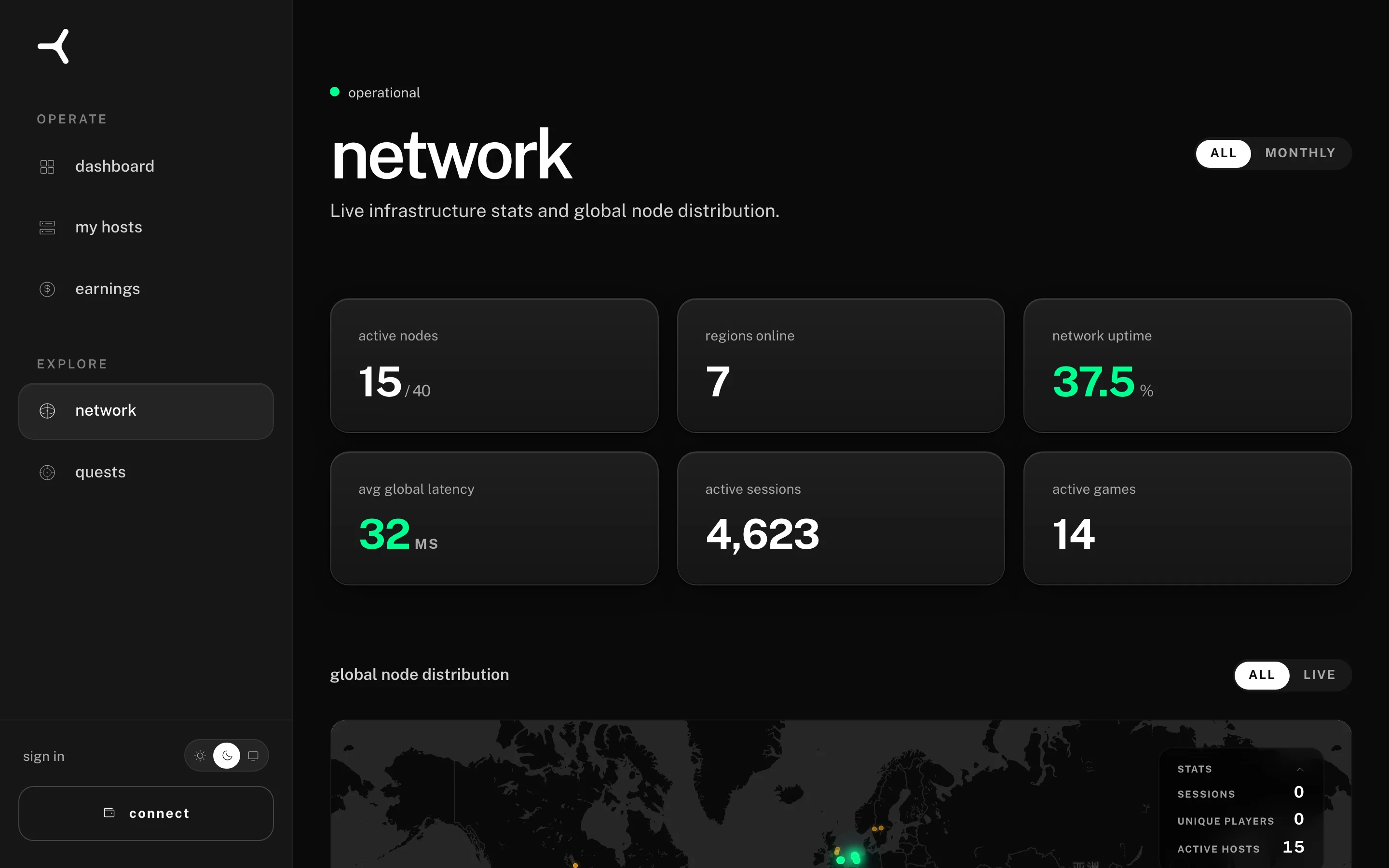
If your geo is empty or thinly populated, you’re early in your region. Sessions will come as the network grows. There is nothing wrong with your node.
-
Your status is online but validation failed silently. Refresh My hosts. If your host is missing or showing a status other than green, see Troubleshooting: node offline.
-
Your network has degraded since setup. Re-run the Rig Check from the same machine. If your network conditions changed (new ISP throttling, Wi-Fi instead of ethernet), the network may have downgraded your routing priority.
If none of those apply, contact us through the link below. We have telemetry on every node and can usually tell you exactly why you aren’t getting traffic.
Can't sign in, or don't have an account yet? Email support@yom.net
4 / 14 operating a YOM node
all articles